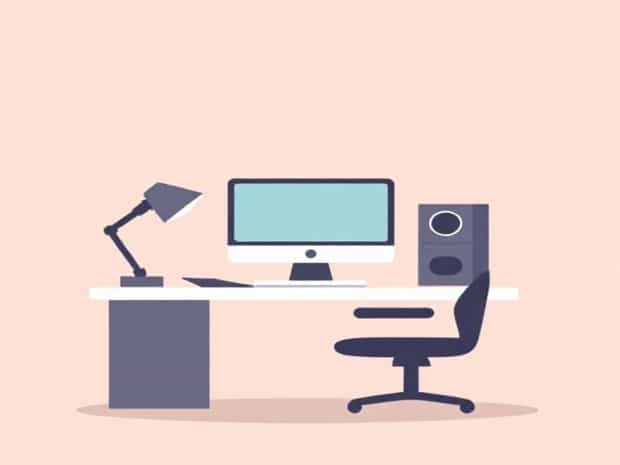
Working with computers has become an essential part of daily life, both at work and home. As technology continues to advance, the way we interact with computers significantly impacts our health, comfort, and productivity. One key concept that addresses these concerns is ergonomics in computer usage. Understanding ergonomics is vital for anyone who spends long hours at a desk, as it helps prevent physical strain, improves efficiency, and enhances overall well-being. Learning how to set up your workstation correctly, maintain proper posture, and use devices thoughtfully can make a huge difference in your daily computer experience.
What is Ergonomics in Computer Use?
Ergonomics, in general, is the science of designing workspaces, tools, and tasks to fit the user’s needs, promoting comfort, safety, and efficiency. When applied to computers, ergonomics focuses on creating an environment where users can operate computers without experiencing physical stress, fatigue, or injury. This involves considering factors such as seating, desk height, monitor position, keyboard and mouse placement, and lighting. The goal of computer ergonomics is to minimize discomfort while maximizing productivity and maintaining long-term health.
Key Principles of Computer Ergonomics
To implement effective ergonomics while using a computer, several fundamental principles should be followed. These principles ensure that the user’s body is positioned correctly and that repetitive strain is minimized
- Proper PostureMaintaining a neutral body position, with a straight back, relaxed shoulders, and elbows at a 90-degree angle, reduces the risk of musculoskeletal issues.
- Monitor PlacementPositioning the monitor at eye level and about 20 to 30 inches away helps reduce neck and eye strain.
- Keyboard and Mouse PositionKeeping the keyboard and mouse at a comfortable height and within easy reach minimizes wrist and arm strain.
- Chair SupportUsing an adjustable chair that supports the lower back encourages proper posture.
- Frequent BreaksTaking short breaks and performing stretches prevents fatigue and promotes blood circulation.
Health Benefits of Computer Ergonomics
Proper ergonomics in computer use is not just about comfort; it has tangible health benefits. Poor ergonomics can lead to a range of issues, including back pain, neck strain, carpal tunnel syndrome, eye fatigue, and headaches. On the other hand, adopting ergonomic practices can
- Reduce the risk of repetitive strain injuries and musculoskeletal disorders.
- Improve circulation and reduce muscle tension during long periods of sitting.
- Enhance concentration and productivity by creating a comfortable work environment.
- Support long-term physical health, preventing chronic pain related to computer use.
Ergonomic Equipment for Computers
Using the right equipment is an essential aspect of computer ergonomics. Various tools and accessories are designed to support correct posture and reduce physical strain. Some examples include
- Ergonomic ChairsAdjustable chairs with lumbar support and armrests help maintain proper spinal alignment.
- Keyboard Trays and Split KeyboardsThese allow the user to position their hands and wrists in a more natural angle, reducing strain.
- Mouse AlternativesErgonomic mice, trackballs, or vertical mice reduce wrist pressure.
- Monitor StandsAdjustable stands ensure the monitor is at a comfortable height for viewing.
- FootrestsUsing a footrest can improve posture, especially for shorter individuals whose feet do not reach the floor.
Ergonomics and Productivity
Ergonomics not only improves health but also enhances productivity. When a workspace is ergonomically designed, users can focus more on their tasks without distraction from discomfort or pain. Efficient movement, proper hand positioning, and reduced fatigue allow for faster typing, accurate mouse use, and better concentration. Ergonomically optimized workstations are particularly valuable in offices, educational institutions, and home offices, where users often spend hours on computers daily.
Common Mistakes in Computer Ergonomics
Many computer users unknowingly make ergonomic mistakes that can lead to long-term health issues. Common errors include
- Slouching or leaning forward while typing.
- Placing the monitor too high, too low, or too close to the eyes.
- Using a non-adjustable chair without proper back support.
- Keeping wrists bent or resting on the desk while typing.
- Ignoring breaks and sitting for prolonged periods without stretching.
Recognizing these mistakes and adjusting the workstation accordingly can prevent discomfort and injuries, ensuring a healthier computing experience.
Ergonomics for Laptops and Mobile Devices
With the increasing use of laptops, tablets, and other mobile devices, ergonomics has become even more critical. Laptops, in particular, often encourage poor posture due to fixed screen and keyboard positions. To maintain ergonomic principles when using laptops, consider
- Using a laptop stand to elevate the screen to eye level.
- Connecting an external keyboard and mouse for better hand positioning.
- Keeping wrists straight and supported while typing.
- Taking frequent breaks to stretch and move around.
Applying ergonomic concepts to mobile devices helps prevent strain on the neck, shoulders, and wrists, especially when used for extended periods.
The meaning of ergonomics in computer use goes beyond simple comfort. It is a science that combines human factors, equipment design, and best practices to ensure that computer users can work efficiently and safely. By understanding and implementing ergonomic principles, selecting proper equipment, and maintaining good posture, individuals can prevent injuries, reduce fatigue, and enhance productivity. Whether for office work, studying, or personal projects, adopting ergonomic practices is an essential step toward a healthier, more comfortable, and more effective computing experience.