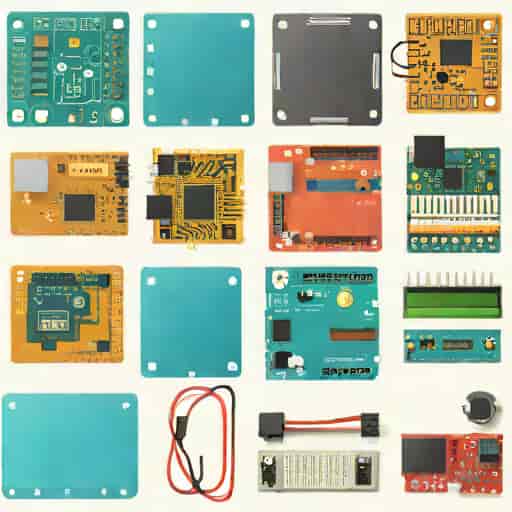
Arduino is a popular open-source electronics platform that has empowered hobbyists, students, and professionals to create interactive projects and prototypes. One of the most effective ways to test and simulate Arduino circuits before physical implementation is through Proteus, a robust simulation software widely used in electronics design. The combination of Arduino and Proteus allows users to model microcontroller projects accurately, reducing trial-and-error and enhancing learning efficiency. A key component in this integration is the Arduino library for Proteus, which enables the software to understand Arduino-specific modules and components, making circuit simulation precise and efficient. Understanding how to use the library effectively is essential for anyone looking to simulate Arduino projects with reliability and ease.
Introduction to Arduino and Proteus
Arduino provides a flexible platform for microcontroller-based projects, featuring a wide range of boards, sensors, and modules. It is popular due to its ease of use, extensive community support, and open-source nature. Proteus, on the other hand, is an electronic design automation software that allows users to design schematics, simulate circuits, and test microcontroller code before implementing it physically. Together, these tools create a powerful environment for prototyping, learning, and experimenting without the need for physical hardware.
Why Use Proteus with Arduino?
- Simulate circuits without requiring physical components, saving time and cost.
- Test Arduino sketches in a controlled virtual environment.
- Identify design flaws or logic errors before building the physical prototype.
- Experiment with different configurations and modules without risk of damaging hardware.
- Enhance educational and training experiences by visualizing circuit behavior and microcontroller operations.
The integration of Arduino with Proteus is particularly useful for students, engineers, and makers who need to visualize how their code interacts with hardware in real-time.
Understanding the Arduino Library in Proteus
The Arduino library for Proteus contains pre-built components and models for various Arduino boards, including Uno, Mega, Nano, and others. These components include microcontroller units, input/output pins, and modules compatible with Arduino shields and sensors. The library ensures that Proteus can accurately simulate the behavior of Arduino hardware, including pin operations, timing, and communication protocols.
Key Features of the Arduino Library
- Board ModelsSimulated Arduino boards such as Uno, Mega, Nano, and Pro Mini are available for accurate circuit design.
- Peripheral ModulesSensors, LCDs, LEDs, and other components compatible with Arduino can be added to the simulation.
- Code IntegrationArduino sketches can be compiled and loaded directly into Proteus for functional testing.
- Pin ConfigurationThe library supports digital and analog pin operations, PWM, and serial communication.
- Debugging ToolsUsers can monitor variables, signals, and outputs to troubleshoot code and circuit behavior.
These features make the Arduino library an indispensable tool for designing and testing microcontroller projects in Proteus.
Installing the Arduino Library in Proteus
To use Arduino in Proteus, the library must first be installed and configured. The installation process is straightforward but requires attention to detail to ensure compatibility with the version of Proteus in use. Once installed, users can access Arduino boards and components from the Proteus component library and integrate them into their circuits.
Steps to Install the Library
- Download the Arduino library package compatible with your Proteus version.
- Copy the library files into the Proteus Library directory.
- Restart Proteus to recognize the newly installed components.
- Verify the installation by searching for Arduino boards in the component selection menu.
After installation, users can start creating circuits using Arduino boards and modules, simulating the behavior of their code in real-time.
Simulating Arduino Projects in Proteus
Once the library is installed, creating simulations becomes efficient and informative. Users can design circuits, connect sensors and actuators, and upload Arduino code to observe how the system responds under different conditions. This process is essential for validating logic, testing timing-sensitive applications, and optimizing designs before physical implementation.
Basic Simulation Steps
- Select an Arduino board from the Proteus library.
- Add input/output components such as LEDs, buttons, or sensors.
- Wire the components according to your circuit schematic.
- Upload the Arduino sketch (compiled hex file) to the microcontroller in Proteus.
- Run the simulation and monitor outputs, signals, and interactions.
Through simulation, users can identify potential errors, optimize timing, and experiment with different conditions without risk, making Proteus an invaluable tool for Arduino development.
Advantages of Using Arduino with Proteus
The combination of Arduino and Proteus offers multiple benefits for both beginners and advanced users. It allows rapid prototyping, error detection, and educational experimentation. The ability to simulate complex projects, including robotics, automation, and IoT applications, makes Proteus a powerful complement to Arduino development.
Key Benefits
- Reduces hardware costs by allowing virtual testing.
- Improves learning outcomes by visualizing code and circuit behavior.
- Enables experimentation with advanced concepts such as PWM, serial communication, and sensor integration.
- Helps in documenting and demonstrating projects without physical prototypes.
- Supports rapid iteration, allowing developers to refine circuits and code quickly.
By leveraging these advantages, makers, students, and professionals can efficiently design and test innovative projects with minimal physical resources.
Challenges and Limitations
Despite its advantages, simulating Arduino in Proteus has some limitations. Certain complex hardware behaviors, timing constraints, or specific modules may not be perfectly represented. Additionally, real-world issues such as power fluctuations, noise, and component tolerances are difficult to simulate accurately. Users must complement simulation with actual hardware testing to ensure reliability and practical functionality.
Common Challenges
- Limited representation of analog and high-frequency signals.
- Some third-party Arduino shields may not be available in the library.
- Differences between virtual and real-world performance of sensors and actuators.
- Dependency on proper installation and version compatibility of the library.
Understanding these limitations helps users make better use of simulations and prepare for real-world deployment of Arduino projects.
The Arduino library in Proteus is an essential tool for anyone involved in microcontroller development, providing a safe, cost-effective, and informative platform for simulation. It allows users to design circuits, test Arduino code, and explore advanced projects without relying solely on physical hardware. While there are limitations, the benefits of prototyping, error detection, and educational exploration make it invaluable for beginners and experienced developers alike. By integrating Arduino with Proteus, users gain the ability to experiment, innovate, and optimize their projects, ensuring that designs are both functional and efficient before entering the real world. This combination continues to enhance the landscape of electronics education, hobbyist experimentation, and professional development, making the Arduino library in Proteus a cornerstone for modern microcontroller simulation.