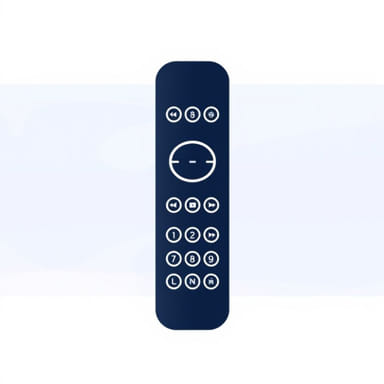
Owning a Samsung TV provides a high-quality viewing experience, but managing multiple devices and remotes can sometimes become cumbersome. This is where a universal remote for Samsung TV becomes a practical solution. Universal remotes simplify entertainment systems by consolidating control of the television, sound system, streaming devices, and other peripherals into a single, user-friendly device. They offer convenience, efficiency, and enhanced functionality, making them an essential accessory for anyone looking to streamline their home entertainment setup without sacrificing performance or ease of use.
What is a Universal Remote?
A universal remote is a device designed to control multiple electronic devices, including televisions, DVD players, sound systems, and streaming devices, from a single interface. For Samsung TV users, a universal remote eliminates the need to switch between multiple controllers, allowing seamless operation with minimal effort. These remotes are programmed to work with a wide range of brands and models, often using infrared (IR) signals or radio frequency (RF) technology to communicate with the devices.
Key Features of a Universal Remote
- Compatibility with multiple brands, including Samsung, LG, Sony, and more.
- Programmable buttons to customize device control.
- Macro functions that allow a single button press to perform multiple actions.
- Backlit keys for easy operation in low-light environments.
- Ergonomic design for comfortable handling.
Benefits of Using a Universal Remote for Samsung TV
Using a universal remote with a Samsung TV offers several advantages, from convenience to improved control over entertainment systems. By integrating multiple devices into one remote, users can enjoy a more streamlined and enjoyable viewing experience.
Convenience and Simplification
A universal remote simplifies the operation of home entertainment setups by replacing multiple remotes with a single device. Instead of searching for different controllers for the TV, soundbar, or streaming box, users can operate everything from one remote. This simplification enhances the user experience and reduces frustration, especially in households with complex entertainment systems.
Enhanced Functionality
Many universal remotes for Samsung TVs come with programmable features, such as macro buttons. These allow users to execute multiple commands with a single press. For example, turning on the TV, switching to a streaming service, and adjusting the volume can all be done with one button. Some remotes also offer smart navigation for menus, voice control, and even app-specific functions.
Cost-Effective Solution
Instead of replacing multiple remotes or purchasing new devices, a universal remote provides a cost-effective alternative. One universal remote can replace three or more controllers, saving money and reducing clutter. For Samsung TV owners, this is especially beneficial when older or original remotes are lost or damaged.
Types of Universal Remotes for Samsung TV
There are various types of universal remotes designed to suit different needs and preferences. Understanding these options helps users choose the right remote for their Samsung TV and entertainment system.
Infrared (IR) Universal Remotes
Infrared remotes use light signals to communicate with devices. These are the most common type of universal remotes and are typically compatible with Samsung TVs. They require a direct line of sight to the television or device they are controlling. IR remotes are cost-effective and widely available, making them a popular choice for most users.
Radio Frequency (RF) Universal Remotes
RF remotes communicate with devices using radio waves, allowing control without requiring a direct line of sight. This type of remote is ideal for setups where the TV or devices are inside cabinets or behind obstacles. RF universal remotes offer extended range and flexibility compared to IR models, making them suitable for larger rooms or more complex entertainment systems.
Smart and Bluetooth Remotes
Advanced universal remotes utilize Bluetooth or Wi-Fi connections, offering enhanced features such as voice control, touchpad navigation, and app integration. These remotes often allow users to control smart devices, streaming platforms, and even home automation systems. For Samsung smart TVs, these remotes provide seamless integration with features like Samsung Smart Hub, voice commands, and connected apps.
How to Program a Universal Remote for Samsung TV
Programming a universal remote for a Samsung TV is generally straightforward, but steps may vary depending on the remote model. Here is a general guide to help users set up their remote.
Manual Programming
- Turn on the Samsung TV manually using its original remote or power button.
- Press and hold the setup or device button on the universal remote until the LED indicator lights up.
- Enter the Samsung TV code, typically found in the remote’s instruction manual or online database.
- Press the power button to test the connection; the TV should turn off or respond accordingly.
- If the TV does not respond, try additional codes until the correct one is found.
Auto-Search Programming
- Turn on the Samsung TV.
- Activate the auto-search mode on the universal remote, usually by holding down the setup button.
- The remote will cycle through available codes automatically.
- When the TV responds, press the enter or OK button to save the code.
- Test all functions to ensure full compatibility.
Tips for Choosing the Right Universal Remote
Choosing the right universal remote for a Samsung TV requires consideration of several factors to ensure compatibility, ease of use, and desired features.
Compatibility
Ensure the remote supports Samsung TVs and any other devices in your entertainment system. Some remotes have limited brand compatibility, so checking specifications is essential.
Features
Consider what features are important, such as backlit buttons, macro functions, voice control, or smartphone integration. Selecting a remote with features that match your usage habits will enhance the viewing experience.
Range and Signal Type
Choose between IR, RF, or Bluetooth based on room layout and device placement. RF and Bluetooth offer more flexibility for devices not in direct line of sight.
Build Quality
Opt for a durable remote with a comfortable design. A well-built universal remote ensures longevity and reliable operation over time, especially for frequent use.
Advantages of Using a Universal Remote
- Reduces clutter by replacing multiple remotes with one device.
- Simplifies control of Samsung TVs and other entertainment devices.
- Offers programmable features for convenience and efficiency.
- Supports advanced functions like voice commands and smart navigation.
- Cost-effective solution for replacing lost or damaged remotes.
- Enhances overall home entertainment experience with improved usability.
A universal remote for Samsung TV provides a practical and efficient solution for managing multiple devices in a home entertainment setup. By consolidating control into a single, user-friendly device, users enjoy greater convenience, improved functionality, and reduced clutter. With options ranging from basic infrared remotes to advanced Bluetooth and smart models, there is a universal remote to suit every household and preference. Proper programming ensures compatibility and full functionality, while thoughtful selection based on features, compatibility, and signal type maximizes usability. Investing in a high-quality universal remote not only enhances the Samsung TV experience but also streamlines the overall management of home entertainment systems, making it an essential accessory for modern viewing convenience.
Whether for casual viewers or tech enthusiasts, universal remotes are indispensable tools that simplify and elevate the TV watching experience. From ease of use to advanced features and programmable functions, they provide a seamless way to control Samsung TVs and other devices, ensuring entertainment is always at your fingertips.