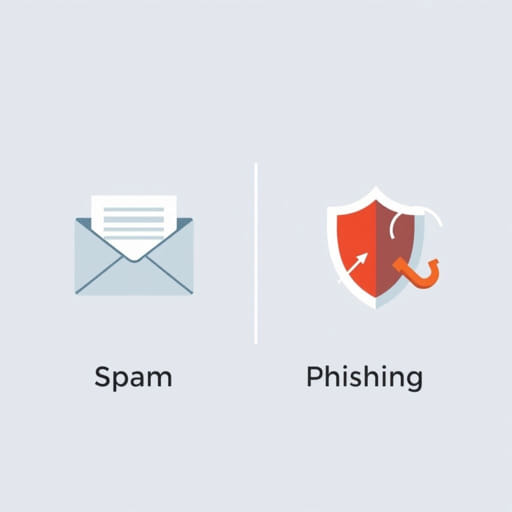
In the digital communication age, understanding the dangers that come through email and messaging platforms is essential for both individuals and organizations. Two of the most common threats people encounter are spam and phishing. Although they may appear similar at first glance especially when they both arrive unsolicited they are fundamentally different in purpose, technique, and threat level. Recognizing the difference between spam and phishing can help users protect their personal information, avoid scams, and maintain cybersecurity hygiene in a rapidly evolving online world.
Understanding Spam Messages
What Is Spam?
Spam refers to unsolicited or unwanted messages sent in bulk, usually for advertising purposes. These messages can arrive via email, SMS, social media platforms, or messaging apps. Most spam content is commercial in nature, promoting products, services, or websites that users did not request information about. Though typically not dangerous by themselves, spam messages can be annoying, clog inboxes, and sometimes serve as a gateway to more harmful schemes.
Common Characteristics of Spam
- Sent in mass quantities to large groups of recipients
- Often contain promotional content for products or services
- May include misleading subject lines to attract attention
- Frequently come from unknown or suspicious-looking email addresses
- Sometimes use poor grammar or formatting
Is Spam Always Harmful?
In most cases, spam is more of a nuisance than a threat. However, there are situations where spam can be a vector for malicious links or scams, particularly when combined with phishing techniques. Clicking on links within spam messages can sometimes lead to unsafe websites or downloads, which is why it’s important to exercise caution.
What Is Phishing?
Definition of Phishing
Phishing is a type of cyberattack designed to trick users into revealing personal or sensitive information such as usernames, passwords, banking details, or credit card numbers. Unlike general spam, phishing has a specific and often malicious intent. It is typically disguised as a message from a legitimate source like a bank, employer, or government agency asking the user to take urgent action.
Key Characteristics of Phishing Messages
- Appear to be from trusted sources (banks, social media, government)
- Include urgent language such as Your account has been compromised
- Contain links to fake websites that mimic legitimate ones
- May request login credentials or other sensitive data
- Sometimes use personal information to increase credibility
Phishing Tactics
Phishers often use sophisticated social engineering techniques to deceive users. They may tailor their messages using the recipient’s name or information gathered from social media. The ultimate goal is to get users to click a link, open an attachment, or fill out a fake form that gives attackers access to sensitive information.
Major Differences Between Spam and Phishing
Intent
The most fundamental difference lies in intent. Spam messages are primarily used for advertisement or promotion. Their main goal is to sell something or drive traffic to a website. Phishing, on the other hand, is intended to deceive the recipient into giving away confidential information. The goal is often identity theft, financial fraud, or unauthorized access to private accounts.
Level of Threat
Spam is generally low-risk unless it leads to harmful content. Phishing poses a serious threat to cybersecurity, as it can result in financial loss, data breaches, and identity theft. Phishing attacks often appear more convincing and demand urgent responses, increasing the risk of user compliance.
Personalization
Spam emails are usually generic and sent in bulk. They rarely contain personalized content beyond a name. Phishing messages, however, are often customized with accurate details to appear more legitimate. This personalization helps build trust with the target and increases the chances of success.
Appearance
Spam messages tend to have poor formatting, spelling errors, and obvious promotional language. Phishing messages are more polished, often mimicking official communications from reputable organizations. They use branding, tone, and structure similar to the companies they pretend to represent.
Consequences
- Spam: Cluttered inbox, wasted time, potential exposure to shady products or websites
- Phishing: Compromised accounts, stolen identity, financial losses, malware infection
How to Recognize and Avoid Spam and Phishing
Tips to Identify Spam
- Look for promotional keywords like buy now or limited offer
- Verify the sender’s address often spam uses random or mismatched domains
- Avoid clicking on unfamiliar links
- Use a reliable spam filter in your email application
Tips to Identify Phishing
- Check for urgency phrases like account suspended or immediate action required
- Inspect the email address phishers often use addresses similar to official domains
- Hover over links to see the actual destination URL
- Never input sensitive data unless you’re 100% sure the site is legitimate
What to Do If You Encounter Spam or Phishing
Handling Spam
Most email platforms allow you to mark messages as spam. This helps improve automatic filters and reduces future spam. If the spam message contains suspicious links, do not click them. Simply delete the message or report it to your email provider.
Handling Phishing
If you suspect a message is a phishing attempt, do not click any links or provide any information. Report the message immediately to your email provider or your company’s IT department. If you’ve already clicked a link or entered details, change your passwords right away and monitor your accounts for unusual activity.
Impact on Organizations and Individuals
For individuals, phishing can lead to stolen identities, drained bank accounts, or hijacked social media profiles. Spam, though less dangerous, can still slow down productivity and clutter important communication channels. For organizations, phishing attacks can cause data breaches, regulatory fines, and loss of customer trust. Employees need training to differentiate between spam and phishing and how to respond to each appropriately.
Understanding the difference between spam and phishing is essential in today’s internet environment. While both involve unsolicited communication, spam is generally annoying but not dangerous, whereas phishing is a deliberate attempt to trick users into compromising their personal or financial security. By learning to recognize the signs of both spam and phishing messages, users can protect themselves and contribute to a safer digital community. Awareness, caution, and the right security tools go a long way in preventing the damage these unwanted messages can cause.